Nivalis Nights System Requirements: Can Your PC Run This Sim?
Discover the official Nivalis Nights system requirements. Check if your PC can handle this immersive cyberpunk life sim and start your business empire today.
Published: Nivalis Nights Wiki Editorial Team
Table of Contents
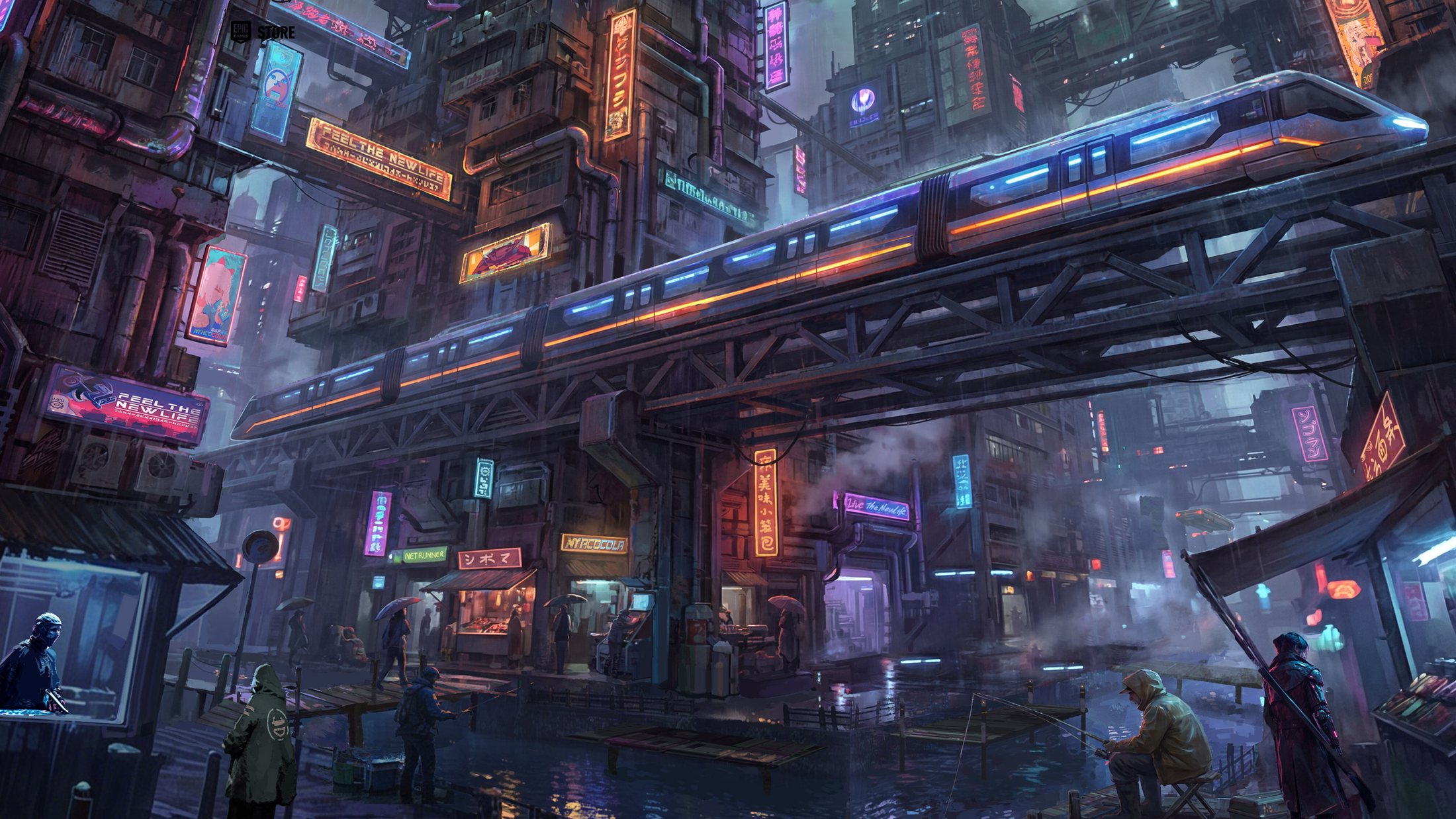
The neon-drenched streets of the cyberpunk city of Nivalis are officially open, beckoning players to trade the mundane for a life of high-stakes management and urban intrigue. Before you dive into the complex economy of Nivalis Nights, it is crucial to ensure your hardware is ready to render the sprawling verticality of this rain-slicked metropolis.
Understanding the Nivalis Nights system requirements is the first step toward a smooth experience, especially when balancing customer reviews, ingredient freshness, and illegal sabotage operations. Whether you are a veteran management sim fan or a newcomer to the genre, this guide covers everything you need to know to get your noodle bar and nightclubs running at peak performance.
Understanding Nivalis Nights System Requirements
The leap into a bustling cyberpunk life sim like this one requires a balanced PC setup. ION LANDS has designed a world that is visually dense and highly interactive, meaning your hardware needs to handle everything from complex NPC pathfinding to real-time management data.
According to official data from the game’s Steam store page, performance varies significantly based on your target resolution and settings. Below is a breakdown of the hardware you need to get the most out of your experience.
PC Performance Baseline
Specification
Minimum (1080p, 30 FPS, Low)
Recommended (1440p, 60 FPS, High)
OS
Windows 10 64-bit
Windows 11 64-bit
Processor
Core i5-11600K / Ryzen 5 3600
Core i5-13600K / Ryzen 5 7600
Memory
16 GB RAM
16 GB RAM
Graphics
GTX 1660 SUPER / RTX 3050
RTX 4070 / RX 7800 XT
Storage
42 GB SSD
42 GB SSD
Warning
Hardware Priority
An SSD is explicitly required for both tiers. Running this game from an older mechanical HDD will likely lead to significant stuttering during city traversal and asset loading.
Setting Up Your Cyberpunk Business
Once your PC passes the Nivalis Nights system requirements, the real challenge begins. You are not just playing a game; you are managing a living ecosystem. Players often report that the opening hours are the most critical, as you transition from a simple noodle stand operator to a city-wide mogul.
The game mechanics are surprisingly deep. You aren't just placing furniture; you are sourcing ingredients, managing staff shifts, and keeping an eye on the localized "CorpSec" curfew.
Essential Management Steps for Success
Menu Optimization: Each dish has specific ingredient and equipment requirements. Check your venue’s demographic preferences to avoid stocking items that won't sell.
Staff Happiness: Always pay attention to your employees. If you push shifts too long or pay too little, productivity plummets.
Restocking Routine: Never run out of stock during peak hours. Use the market map to identify which vendors offer the best prices for daily goods.
Curfew Navigation: Staying out after hours is a risk-reward mechanic. While you can sabotage rivals, being caught by security cameras carries severe penalties.
Tips for an Optimized Experience
Community feedback has highlighted that while the game is visually stunning, it is demanding on older hardware. Many players have suggested using the game’s internal setting adjustments to prioritize frame rate over high-fidelity textures if you find your system struggling in crowded market districts.
Performance Tuning Checklist
Monitor VRAM Usage: If you have an 8GB card, keep your texture settings at 'Medium' to prevent frame-time spikes in the Meridian Market area.
Controller vs. Mouse: While the game lists full controller support, many players find the intensive menu navigation in the management screens much more comfortable with a mouse and keyboard.
Community Insights: According to various player experiences, the game’s performance is stable, but busy, multi-venue sessions can tax the CPU. If you notice frame drops, try closing background applications.
Navigating the Urban Economy
The economy in Nivalis Nights is unforgiving. You start with debt that must be managed, and the interest rates can quickly spiral if you aren't careful.
Debt Strategy
Pros
Cons
Aggressive Repayment
Reduces interest long-term
Limits capital for new recipes
Balanced Growth
Faster business expansion
Increases total debt interest
Passive Savings
Safer for beginners
Slow progress on rankings
"The debt is part of the challenge," says one frequent player in the community forums. "Focusing on unlocking new dishes and raising your star rating often provides better long-term returns than paying off the entire loan in week one."
FAQ: Nivalis Nights
Q: Can I run Nivalis Nights on a laptop?
A: Yes, but keep in mind that mobile GPUs perform below their desktop counterparts. The developers recommend at least an RTX 4050 Laptop equivalent with 6GB of VRAM to hit the minimum settings.
Q: Are there really two different sets of requirements online?
A: You may notice some legacy listings on third-party sites using older data. Always prioritize the requirements listed on the official Nivalis Nights Steam page as they reflect the final release build.
Q: Does the game support cloud saves?
A: Yes, the game supports Steam Cloud. This is perfect if you are switching between a gaming desktop and a laptop, as your management progress and relationship data will sync seamlessly.
Q: Why do I need 16GB of RAM?
A: The city of Nivalis is designed as a dense, immersive simulation with high-fidelity assets. 16GB ensures the game can hold the necessary texture data and character logic in memory without constantly swapping to the SSD, which helps maintain 60 FPS in busier sectors.