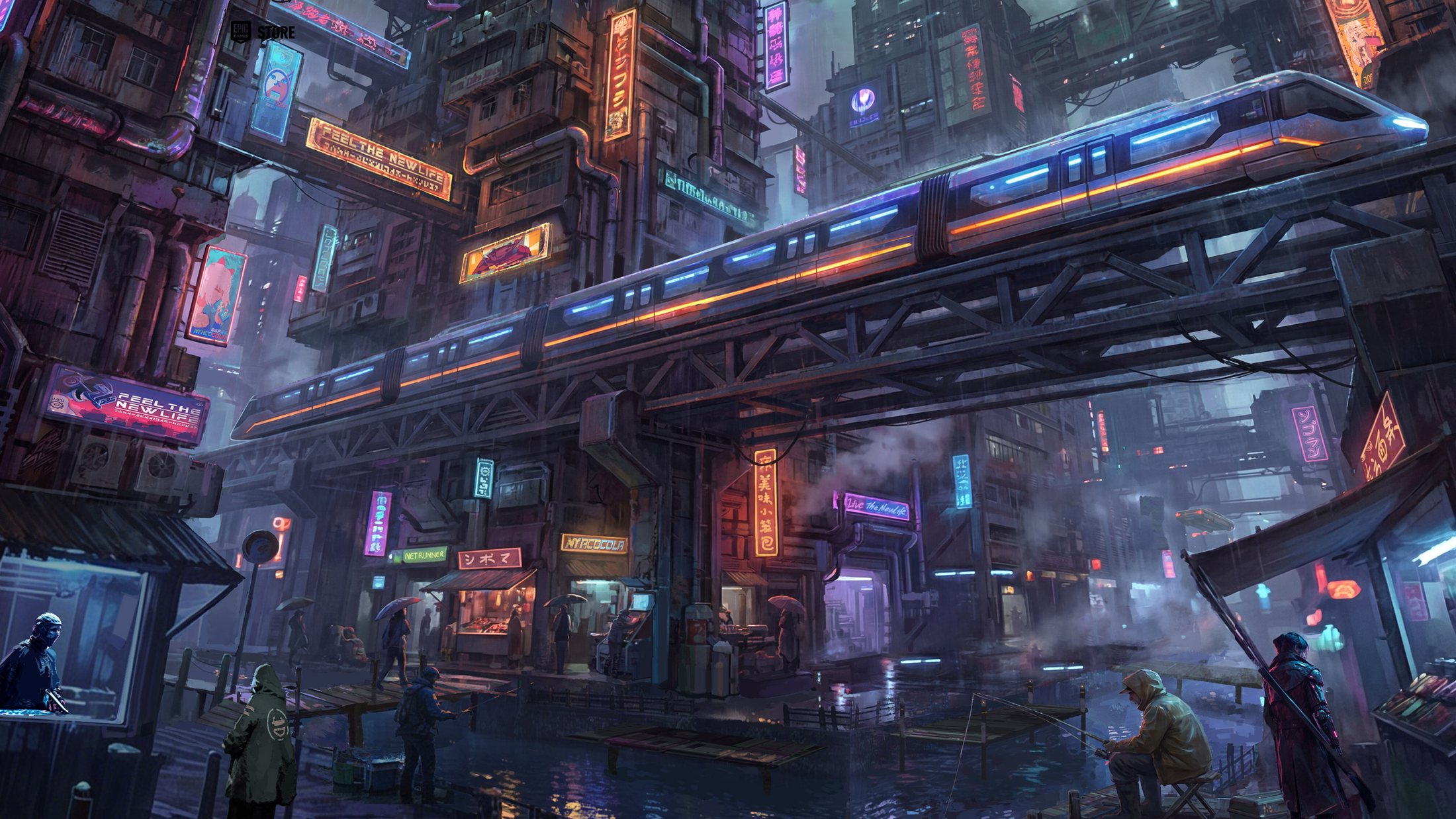
Nivalis Nights Steam Deck Performance: Can You Play on the Go?
Wondering about Nivalis Nights Steam Deck compatibility? We break down performance, optimization tips, and whether this cyberpunk life sim is ready for handhelds.
Published: Nivalis Nights Wiki Editorial Team
Table of Contents
The neon-drenched streets of Nivalis are finally open for business, inviting players to build a culinary empire from a humble noodle stand. As you navigate the complex systems of this cyberpunk life sim, you might be asking: is Nivalis Nights Steam Deck support ready for your handheld gaming sessions?
While the game offers a rich, atmospheric experience that feels tailor-made for portable play, the current technical state of Nivalis Nights on the Steam Deck requires a closer look. Balancing a bustling restaurant, managing staff, and exploring a vertical city is an ambitious task, and understanding how the hardware handles these demands is crucial for your enjoyment.
Assessing Nivalis Nights Steam Deck Compatibility
As of the latest reports, the official Nivalis Nights Steam Deck status is listed as "Unknown." This means that while the game may launch, it has not yet been formally verified by Valve for the handheld platform. Players attempting to dive into the city of Nivalis on their portable devices should be prepared for potential hurdles regarding performance optimization and UI scaling.
Performance Expectations for Handhelds
The game is surprisingly demanding, even on high-end desktop rigs. Community reports indicate that the title features dense environments, complex lighting, and heavy management systems that can tax hardware.
Setting Category
Potential Impact on Steam Deck
Recommendation
Resolution
High
Aim for 720p native
Graphics Preset
Very High
Use "Very Low" or "Low"
Frame Rate
High
Cap at 30 FPS
Upscaling
N/A
No DLSS/FSR at launch
Warning
Performance Bottlenecks
The game currently lacks native upscaling technologies like DLSS or FSR. On a Steam Deck, this means you are locked into native rendering, which will significantly impact battery life and heat management in the game’s denser districts.
Mastering the Business Loop: A Beginner’s Guide
Whether you are playing on a PC or hoping for future handheld optimization, the core loop of Nivalis Nights is deep and rewarding. You aren't just a cook; you are a manager, a landlord, and a socialite.
The Daily Operational Cycle
Success in the city depends on your ability to balance your time before the curfew kicks in. You start with a small noodle bar, but the path to becoming a nightlife mogul is paved with careful planning.
Supply Chain Management: Source ingredients from local vendors early in the day.
Staffing Strategy: Hire staff and set shifts that maximize your peak hours.
Menu Optimization: Adjust your offerings based on the specific preferences of the district.
City Exploration: Use your free time to fish, farm, or build relationships with NPCs.
Essential Management Metrics
Keep a close eye on your management dashboard. Ignoring these stats will lead to a stagnant business and mounting debt.
Metric
Why it Matters
How to Improve
Staff Happiness
Affects service speed
Adjust shifts and wages
Ingredient Freshness
Impacts food quality
Buy smaller, frequent batches
Star Rating
Drives customer volume
Respond to reviews and trends
Cleanliness
Prevents customer loss
Spend time cleaning manually
Why the Day Cycle Feels So Rushed
A common point of frustration among early players is the speed of the in-game clock. Because the game encourages a "slow life" aesthetic, the rapid passage of time can feel contradictory.
According to various community reports, many players have already turned to community-made mods to slow down the day-night cycle. If you find yourself constantly rushing to close your shop before the curfew or struggling to navigate the dense, map-less districts, you are not alone.
Pro-tip for navigation: Since the game lacks a detailed local map, use the "scan" feature to highlight vendors and important NPCs. This will save you precious minutes that would otherwise be wasted wandering the neon-lit alleys.
Optimizing Your Experience
To get the most out of Nivalis Nights, you must treat it as a simulation, not an action game. Do not expect gunplay or cyberware combat. The "combat" here is competitive business—sabotaging rivals and managing your reputation.
Improving Your Setup
Invest in Automation: As soon as you can afford it, hire managers to handle repetitive tasks like restocking. This frees you up to explore the deeper story elements.
Prioritize Upgrades: Focus on unlocking new recipes and equipment for your kitchen early on. This creates a positive feedback loop that increases your revenue potential.
Manage Your Reputation: Don't neglect social interactions. Relationships in this city can provide unique perks and quest opportunities that aren't available through business alone.
Q: Is Nivalis Nights Steam Deck playable right now?
A: It is currently marked as "Unknown." While it may run, players should expect performance drops and potential UI issues given the game's high resource requirements.
Q: Does Nivalis Nights feature combat?
A: No. This is a life and business simulation game. The challenge comes from managing your restaurant empire and navigating the social and economic landscape of the city.
Q: How do I handle the fast day cycle?
A: Many players find the base clock speed too fast. You can either focus on optimizing your routine to be more efficient or look into community mods that allow you to adjust the time scale.
Q: Is this game similar to Cloudpunk?
A: Both are developed by ION LANDS and share a cyberpunk aesthetic, but Nivalis Nights is a distinct management and life simulation experience focused on business ownership rather than delivery missions.